

This blog contains Amazon affiliate links. If you click on these links and make a purchase, We may earn a small commission at no extra cost to you. This helps support the site and allows us to continue providing helpful content. Thank you for your support!
This blog contains Amazon affiliate links. If you click on these links and make a purchase, we may earn a small commission at no extra cost to you. This helps support the site and allows us to continue providing helpful content. Thank you for your support!
It might not be something that you think about when looking at smart TVs but thinking about how you’re going to install it into your living room is really important. More people than you think buy large and expensive smart TVs without thinking about it and end up having to return them as they can’t display them properly! So don’t make the same mistake and instead think about how you’re going to display your smart TF beforehand. You’ve got two main options to consider in a TV stand or a wall mount but you might not be too sure as to what’s the best option for you and your smart TV. We here as the team at Systems Insights have come together to create a definitive guide to help you choose a TV stand or wall mount as well as our recommendations for each option depending on what suits you.
What actually is a TV stand for your Smart TV?

One option you might consider is a TV stand to help support the weight of your smart TV on top of a piece of furniture. This might be a pair of legs that attach to your TV all the way up to a swivel stand that lets it move while still being stable. It lets you safely place a smart TV on top of a cabinet or piece of furniture, making it one of the most common ways to display a smart TV in your home.
However, it’s important to make sure that the TV stand is strong enough to support your smart TV to avoid potential accidents. If your smart TV is unstable on the TV stand, then you risk someone walking past and bumping it depending on where you place it. This could cause an accident and serious damage to both the person (especially if they’re a child) and the smart TV. If you’ve spent all that money getting a nice new smart TV, then you don’t want to have to replace it that soon! This makes getting a stable TV stand that can handle the weight extremely important if you’re going to choose this option, especially if you’ve got a larger screen size smart TV.
One option we’d recommend if you’re not happy with the option that should come with your smart TV is Perlegear’s Universal Swivel TV Stand. It allows you to easily swivel your smart TV as well as adjust its height to sit at your perfect viewing angle. This makes it a better choice than the standard legs which might have come with your smart TV which means you might’ve had to move the whole TV, leaving a part to dangle off the furniture and cause a potential accident. Again, make sure it fits your screen size as well as supports the weight of your smart TV, but this is a fantastic option for a smart TV stand.
What actually is a wall mount for your Smart TV?

Your other main option is instead to use a wall mount. This uses a bracket system to fix your smart TV onto the wall. This is very useful if space in the room is limited, as you won’t need to buy or rearrange furniture to place a TV stand and smart TV in your room and instead can put it up on the wall and out of the way. As well as that, you’ll also avoid bumping into it and causing an unfortunate accident (unless you’re really clumsy!). So if you’ve got limited space and want to put your smart TV up out of harm’s way, then a wall mount will be a better option for you.
However, you should make sure that you take the time put up the wall mount in the correct position to save yourself a headache later. Don’t rush into putting up the wall mount and instead sit and see where the correct position is for where you normally view your smart TV. Then, make a mark on the wall and use that to guide where you’re going to install it. This way, you can be sure that you’ll have a comfortable experience and not have to deal with the hassle and mess of removing and resinstalling the wall mount. If you’re still unsure about doing it yourself, then check out our blog to get a step-by-step guide to make installing a wall mount that much easier or get help from another person. Some smart TVs on Amazon even have TV wall mounting services available when delivered, so you can get a professional to help you if needed. So don’t rush into installing the wall mount for your smart TV by following our guide above or getting a professional to do it, otherwise you might make a costly and ugly-looking mistake!
While there are many different wall mounts available, one of the best to get is simply Amazon Basics’ TV Wall Bracket. This model also comes with the ability to swivel and tilt, meaning that you can move the smart TV once installed to get the best possible view. Make sure that you choose the correct one that’ll support your screen size and weight and you can easily install it wherever you want!
Well, what should I choose?

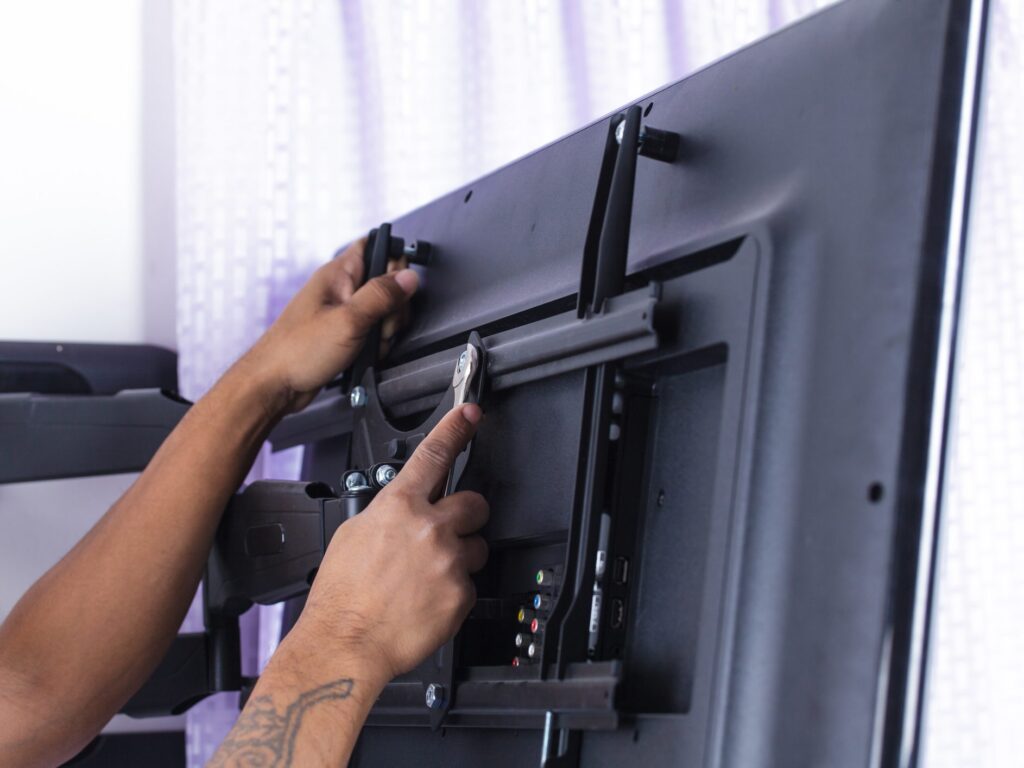
Ultimately, getting a TV stand or wall mount for your new smart TV depends on the setup of your room and if you’ve got the space or furniture to suit either. If your room is rather small and tight for space, then putting up a wall mount to take up less space is more suitable. However, it’s important to remember to mount it at the right angle so that you can view comfortably from wherever you usually sit as well as avoid glare or awkward angles when watching. If you’ve got the space, then a TV stand might also be a good choice. Although, you need to also consider if you’ll have enough space for one wider than your smart TV to prevent potential accidents or damage from happening.
So, the choice between a TV stand or a wall mount really depends on your viewing environment and your preferences. Hopefully this blog has helped you decide what’s the best option for you to get the best possible viewing experience. If so, then check out some of our recommendations we made above as well as share the blog below if you know someone else who’s looking for this guide too!